


19

Jun, 2019

How to Backup Database in cPanel

Posted by : Cid Systems   

June 19, 2019
How to Backup Database in cPanel

This Article will guide you on How to Backup Database. 

  1. Access your cPanel on any browser, input yourdomainname.com/cpanel and fill the username and password then click login.
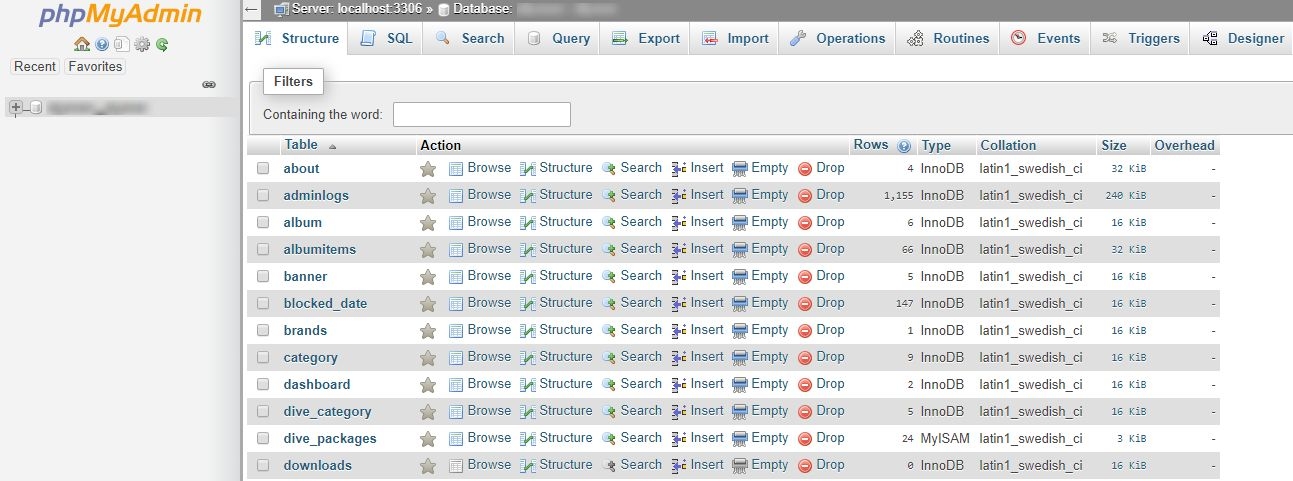
  2. After logging in cPanel click phpMyAdmin then choose the database you need to backup.
  3. Click Export. 
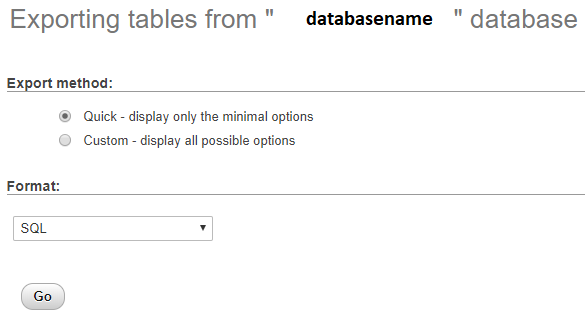
  4. A new window will appear on the screen, click go to download the database to your computer.


  • How to Access Webmail to Delete Email in Horde

    October 02, 2020 04:58 pm
  • How to Access Webmail to Delete Email in Roundcube

    October 02, 2020 04:47 pm
  • How to Navigate Client Account on WHMCS

    August 28, 2020 03:31 pm
  • How to Backup from your cPanel Account

    August 28, 2020 02:58 pm
  • How to Backup from your Account Management System

    August 28, 2020 01:16 pm
  • -->